On this page
- Overview and Table of Contents
- What Are Google Business Profile Posts?
- Why GBP Posts Matter for Local SEO
- How Google Business Profile Posts Work
- Post Types and When to Use Them
- Best Practices for GBP Posts
- Tools and Automation Workflows
- Case Studies and Fill-in-the-Blank Templates
- Advanced Tactics that Boost Views and Actions
- How to Plan a Month of Posts
- Frequently Asked Questions
- Key Takeaways
- Conclusion
Google Business Profile posts are short updates that appear on your Business Profile in Google Search and Maps. They highlight offers, events, and updates to help nearby customers take action. For the local area you serve, consistent, well-structured posts improve on-SERP visibility, engagement, and conversions, especially when they’re coordinated with your website content and local SEO.
By Uplift AI • Last updated: 2026-04-28
Overview and Table of Contents#
This complete guide explains what Google Business Profile posts are, why they matter for local SEO, how the formats work, and the best practices that boost views and actions. You’ll get checklists, examples, a comparison table, and automation tips that connect profile posts with your ongoing content program.
Here’s how this guide helps you plan, publish, and measure posts that win attention in local search while saving you time.
- What Google Business Profile posts are and where they show
- Why posts influence discovery, engagement, and conversions
- Formats: Update, Offer, Event, when to use each
- Best practices for images, CTAs, and cadence
- How to automate posts and connect them to your content
- Examples from common local service industries
- FAQ: practical, direct answers for busy owners
What Are Google Business Profile Posts?#
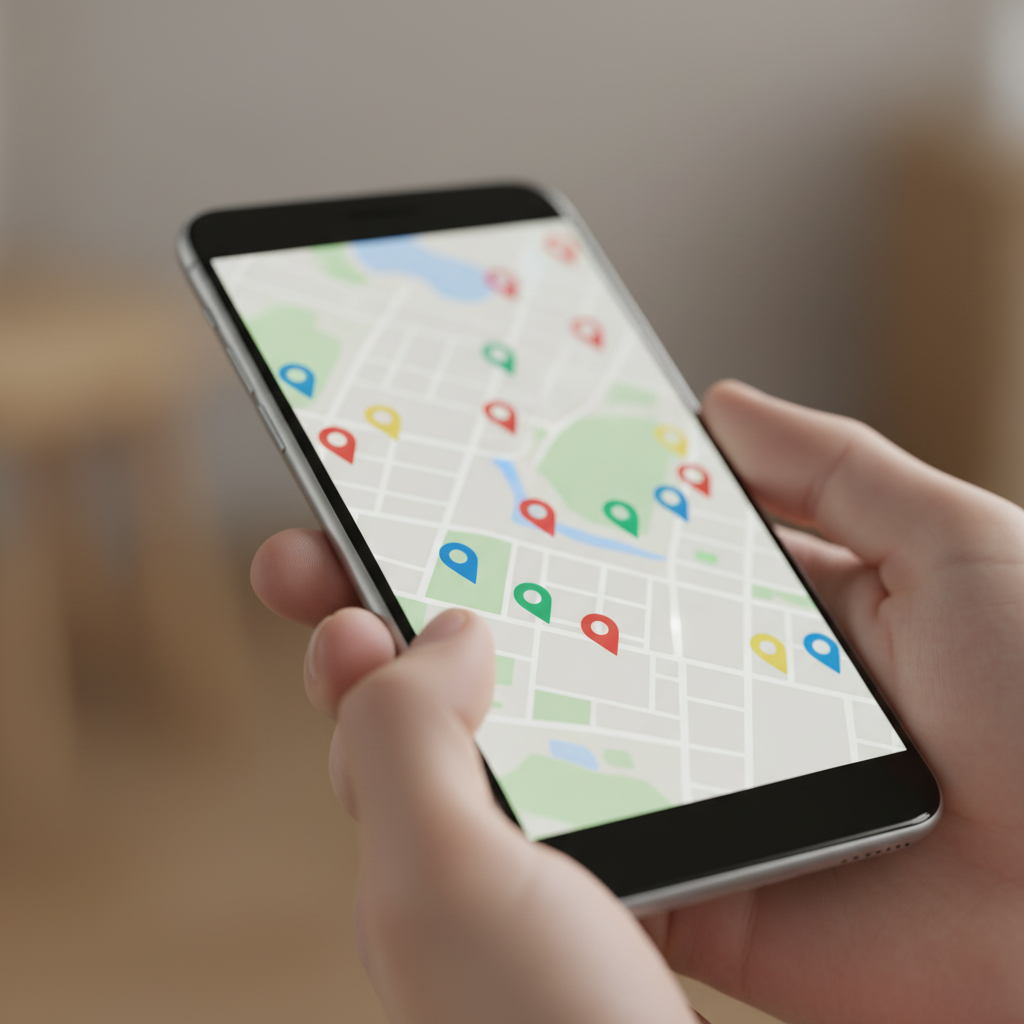
Google Business Profile posts are short, tappable updates that appear directly on your profile in Search and Maps. They feature images, brief copy, and a call-to-action. Use them to announce offers, events, and service updates, keeping your profile fresh and driving clicks to your site or calls.
Think of posts as “micro-landing pages” embedded on your public profile. They’re visible to high-intent searchers who are already comparing options. Because they live on your profile, they reduce friction: one tap to call, get directions, or visit your site.
Where posts appear and how they’re consumed#
- Appear within your Business Profile on Google Search and Maps.
- Display as a card with an image, headline, body text, and CTA button.
- Mobile-first design; concise copy and clear visuals work best.
In our experience working with SMBs, posts that mirror the language people use locally perform better. Clear benefits plus a single action, call, book, or visit, wins attention.
How posts complement your website content#
- Posts can echo your latest article or landing page and link back for depth.
- A consistent message across your site and profile builds trust.
- Coordinating posts with internal linking strengthens topical relevance.
UpliftAI’s automation coordinates website articles and profile updates, so every post reinforces a page on your site, then adds schema and media to support on-SERP engagement.
Why GBP Posts Matter for Local SEO#
Google Business Profile posts support local SEO by keeping your profile active, answering intent-rich queries, and nudging action with timely CTAs. When aligned with your pages, they reinforce topical authority and help more nearby customers discover, trust, and choose your business.
Here’s the thing: many searchers never leave Google. Your profile is the storefront. Frequent, relevant posts are signals of vitality. They provide context, proof, and a next step, fast.
What most owners overlook#
- Recency matters: a steady cadence outperforms sporadic bursts.
- Match the post to intent: offers for price-sensitive searches; events for time-bound interest; updates for credibility.
- Use one explicit CTA per post. Competing actions dilute response.
We’ve found that pairing each post with a strong page on your site (service, menu, portfolio) increases actions, calls, direction taps, and web visits, because the story continues from profile to page.
Proof points you can measure#
- Impressions: how often your post was viewed on the profile.
- Interactions: clicks on buttons (call, website, directions).
- Assisted outcomes: form fills or bookings after a post-click visit.
Track these progressively. Even small upticks compound when you keep cadence. Over a few weeks, the volume of visible proof, before/after photos, short wins, client quotes, builds local authority.
How Google Business Profile Posts Work#
Posts are image-led cards with a headline, 100–300 characters of body text, and a CTA button. You can publish Update, Offer, or Event posts. Performance depends on visual clarity, local language, and a consistent 2–3 posts per week cadence tied to your site content.
At a nuts-and-bolts level, aim for scannable copy and a single outcome. Put the payoff in the first 10–15 words. Use authentic photos with good lighting. Keep CTAs literal: Call now, Book online, See menu, Get quote.
Recommended structure for every post#
- Lead image: bright, on-brand, no text overlays.
- Headline: benefit-first phrasing (6–10 words).
- Body: one key point, one proof point, one CTA.
- Button: the one action you truly want.
- Link: map the CTA to a relevant page on your site.
Posting rhythm that compounds#
- Publish on consistent days to train audience expectation.
- Use a weekly theme: Update midweek, Offer on Friday, Event early week.
- Tie each post to a supporting page or blog for depth.
UpliftAI automates this cadence by aligning profile posts with your latest articles and landing pages, then adding internal links to keep readers moving through your site. Explore our multi-agent SEO engine to see how the Researcher → Strategist → Writer → Optimizer → Publisher pipeline runs on autopilot.
Post Types and When to Use Them#
Use Update posts for news and proof, Offer posts for promotions with deadlines, and Event posts for date-driven happenings. Match the type to searcher intent: credibility, savings, or timing. Link each to a relevant page so the action continues off-profile.
Each format has a job. Choose based on what your ideal customer is thinking in the moment. Here’s a quick comparison you can use when planning next week’s schedule.
| Post Type | Ideal Use | Recommended Length | CTA Examples | Visibility Window |
|---|---|---|---|---|
| Update | Announce new services, wins, or tips | 80–120 words | Call now, Learn more | Best within first week |
| Offer | Promotions with clear start/end | 60–100 words | Redeem offer, Get quote | Until offer end date |
| Event | Workshops, open houses, pop-ups | 60–120 words | Register, RSVP, View details | Through event date |
Practical examples by industry#
- Food service: Update shows a new weekend special; Offer promotes a midweek bundle; Event invites to a tasting night.
- Commercial cleaning: Update highlights a before/after; Offer gives a seasonal package; Event schedules a facility walkthrough day.
- Real estate: Update announces a neighborhood guide; Offer features a free valuation; Event promotes an open house.
- Event venues: Update shares a recent setup; Offer highlights weekday rates; Event invites to a venue tour.
Tie each post to a strong page on your site so people can see menus, services, or booking calendars without hunting. If you write on Shopify, fold these posts into a content plan like our pillar on Shopify blog SEO to keep topics aligned.
Best Practices for GBP Posts#
Focus on clarity, authenticity, and one action per post. Use bright, text-free images; write benefit-first headlines; include a single, literal CTA; and publish 2–3 times weekly. Align each post with a relevant page and track impressions and interactions to refine.
Copy and creative guidelines#
- Headline: Lead with the benefit (e.g., “Same-Day Deep Cleaning”).
- Image: Real photos outperform stock; avoid text overlays.
- Body: One message, one proof point, one CTA.
- CTA: Choose the action that advances your funnel today.
Cadence and timing#
- Pick reliable days; momentum beats bursts.
- Post earlier in the day for weekday browsing; test weekends for foot-traffic spikes.
- Batch-create assets to stay ahead of schedule.
Measurement that guides next week#
- Segment content by type and track which earns more calls or visits.
- Pair posts with site pages that already convert.
- Retire formats that don’t move metrics after fair testing.
If you’d like this to run itself, UpliftAI’s platform can handle ideation, writing, on-page optimization, internal linking, and publishing, then coordinate Google Business Profile posts to match. See how the workflow operates in our Multi-Agent SEO Brain.
Local considerations for your area#
- Seasonal timing: align Offers with local peaks (holidays, school breaks, weather shifts) to meet demand when it’s hottest.
- Operational hours: schedule posts just before your busiest windows so “Call now” meets live availability.
- Neighborhood language: reflect how locals describe services (“yard cleanup” vs. “grounds maintenance”) to match searcher vocabulary.
Tools and Automation Workflows#
Automate planning, writing, and scheduling so posts never lapse. UpliftAI aligns website content, internal links, and profile posts. The system researches topics, drafts posts, adds schema and media, and publishes on schedule, keeping your profile active while you focus on operations.
Most teams stall because posting is another to-do. Automation removes the lapse. Here’s how our approach translates into consistent visibility for your local area.
How UpliftAI wires it together#
- Researcher: mines queries and topics your neighbors use.
- Strategist: maps posts to pages for topical authority.
- Writer: drafts concise, benefit-first copy with CTAs.
- Optimizer: adds internal links and media, ensures schema.
- Publisher: ships to your CMS and coordinates profile posts.
Because the system links every profile post to a relevant page, you capture intent on-SERP, then deepen it on-site. That’s the handoff that turns visibility into leads. Explore our customer case studies to see the outcomes owners report.
For merchants, integrations between ecommerce platforms and Google surfaces matter. For context on Google’s retail surfaces, see Shopify’s Google integration overview and the Google sales channel details for aligning inventory and promotions across touchpoints. For content planning, the Shopify guides hub is a solid procedural reference.
Want this handled for you? UpliftAI automates research → writing → optimization → publishing, then keeps Google Business Profile posts active in sync with your site. See the workflow in our Multi-Agent SEO Brain or start a free setup. Browse real outcomes on our case studies page.
Case Studies and Fill-in-the-Blank Templates#
Use short, specific posts that echo your strongest pages. Pair each with one action, call, book, view menu, or get directions. The examples below mirror common local services and show how to adapt Update, Offer, and Event formats in plain, local language.
Food service example#
Update: “Weekend BBQ Plate is back. Fresh-smoked brisket, slaw, and cornbread. See today’s lineup and plan your pickup.” Button: See menu. Link to your menu page.
Offer: “Family bundle this week only. Feeds four, includes two sides. Reserve online.” Button: Order now. Link to online ordering.
Event: “Tasting Night, Thursday 6–8 PM. Limited seats. Join our chef for new sauces.” Button: Reserve. Link to event page.
Commercial cleaning example#
Update: “Warehouse deep clean: 3,000 sq ft in one shift. See the before/after and scope list.” Button: View project. Link to portfolio.
Offer: “Spring refresh for offices. Free walkthrough when you book this month.” Button: Book walkthrough. Link to scheduling page.
Event: “Facility Care Q&A, 30-minute live session for managers. Get a checklist.” Button: Register. Link to webinar page.
Real estate example#
Update: “New neighborhood guide: schools, parks, commute times. Start your search with real data.” Button: Read guide. Link to guide.
Offer: “Free home valuation for new sellers. Get a custom report.” Button: Get valuation. Link to form.
Event: “Open House, Saturday 12–3 PM. Tour and get a buyer’s checklist.” Button: See details. Link to listing.
Event venue example#
Update: “Reception setup for 120, elegant lighting and floor plan. See photos.” Button: View gallery. Link to gallery.
Offer: “Weekday bookings available. Flexible packages for teams and families.” Button: Inquire. Link to inquiry page.
Event: “Open Venue Tour, Wednesday evening. Meet coordinators and sample layouts.” Button: RSVP. Link to tour page.
These formats are intentionally plain and action-led. They replicate the high-performing patterns we see when coordinating posts with on-site pages through our SEO execution engine.

Advanced Tactics that Boost Views and Actions#
Stack small advantages: match local phrasing, front-load benefits, keep one CTA, and attach posts to pages with strong engagement. Use authentic photos, seasonal hooks, and a reliable cadence. Over time, these compounding cues lift impressions and interactions.
Make the image do the heavy lifting#
- Bright natural light; clear subject; no clutter.
- Show the result customers want (a clean office, a plated dish, a staged venue).
- Keep brand elements subtle, colors and style, not text overlays.
Write like a neighbor, not a brochure#
- Use the same words your customers use locally.
- State the benefit first; save extra detail for the linked page.
- One post, one job. Don’t blend offers with events.
Coordinate with your site’s internal links#
- Link posts to pages that convert (menu, services, booking).
- From those pages, link to related articles to deepen authority.
- Use a content hub (pillar and clusters) so everything connects.
Our platform builds topical clusters automatically and maintains an internal linking graph so every new article and GBP post strengthens what’s already working. If you want to see how this plays out on real sites, scan the wins in our case studies.
How to Plan a Month of Posts#
Batch plan four weeks at a time: define weekly themes, pair each post with a target page, and prepare images in one sitting. Schedule a simple rhythm, Update, Offer, Event, and review metrics weekly to double down on what moves calls, visits, and bookings.
Simple planning framework#
- Pick four weekly themes that mirror your site sections.
- Map every post to a page with a matching CTA.
- Assemble images: real photos first; keep lighting consistent.
- Draft copy in one batch; keep it benefit-first.
- Schedule at set times to build audience habit.
Editorial hygiene that saves time#
- Maintain a reusable library of images and CTAs.
- Track a short list of metrics in a single spreadsheet.
- Archive underperformers and recycle proven winners with fresh images.
If you use Shopify, pairing profile posts with product or menu pages creates a clean handoff from discovery to purchase. Many merchants coordinate with the Google sales channel to sync promotions across surfaces, then use a blog pillar like our guidance on Shopify blog SEO to keep topics aligned.
Frequently Asked Questions#
These concise answers address the most common questions about Google Business Profile posts, from how often to publish to which images perform best. Use them to tune your next post and improve consistency week after week.
How often should I publish Google Business Profile posts?#
Aim for 2–3 posts per week. A reliable cadence beats sporadic bursts and helps your profile look active to nearby searchers. Keep each post focused on one outcome, call, book, view menu, or get directions.
What type of images work best for posts?#
Authentic, well-lit photos of your work or product perform best. Avoid text overlays. Show the outcome customers want: a spotless office, a plated dish, a staged event. Bright, simple compositions draw more taps.
Should I include multiple CTAs in one post?#
No. One post, one job. Choose the single action that advances your funnel, call, book, or visit website. Multiple CTAs split attention and usually reduce response.
How do posts connect with my website content?#
Link each post to a matching page, menu, services, booking, or a related blog article. This handoff captures on-SERP intent and lets your site do the deeper persuasion with photos, reviews, and details.
Key Takeaways#
Google Business Profile posts work when they’re simple, visual, and consistent. Use one benefit, one proof point, and one CTA. Match each post to a strong page on your site and keep a steady 2–3 per week rhythm. Over time, impressions and interactions compound.
- Posts are micro-landing pages on your profile, keep them focused.
- Images do most of the work; keep them bright and authentic.
- Match post types (Update, Offer, Event) to searcher intent.
- Link to relevant pages and maintain internal linking on-site.
- Automate cadence so the profile stays active year-round.
Conclusion#
Treat Google Business Profile posts as a weekly habit that supports your local SEO. Keep them image-led, benefit-first, and action-driven. Coordinate with your site’s content and internal links so every on-profile tap flows into pages that convert.
Consistency wins. When your posts echo the best parts of your website, clear services, real photos, and simple actions, you remove friction for people already nearby and ready to choose. That’s where local visibility turns into real calls, visits, and bookings.
If you want the system that plans, writes, optimizes, and publishes for you, while keeping profile posts in sync, learn how UpliftAI works on our homepage, explore the Multi-Agent SEO Brain, review case studies, and get started today. For teams planning ecommerce content, keep your profile updates aligned with your merchandising using resources like Shopify’s Google integration.