On this page
- At a Glance
- What are AI-generated images for SEO content?
- Why AI-generated images matter for rankings and AI answers
- How AI-generated images for SEO content work
- Types and approaches for AI images in SEO
- Best practices that improve rankings and engagement
- Tools and resources you can rely on
- Step‑by‑step: implement AI images on your site
- Case studies and examples (14+ use cases)
- Frequently asked questions
- Key takeaways and next steps
- Related articles and resources
AI-generated images for SEO content are original visuals created by generative models to increase rankings, clicks, and engagement. They work by matching search intent, reinforcing topical relevance, loading fast with next‑gen formats, and using descriptive alt text and schema so Google and AI assistants can surface them in rich results and answers.
By Uplift AI · Last updated: April 8, 2026
At a Glance#
Use AI-generated images to visualize complex ideas, show processes, and localize pages at scale. Compress as WebP/AVIF, write descriptive alt text, and align each visual to a heading. Add ImageObject schema and measure LCP, CTR, and conversions weekly. UpliftAI automates this end to end across major CMSs.
- What you’ll learn: Definitions, why visuals impact SEO, workflows, tools, and examples tailored to small and local businesses.
- Who it’s for: SMB owners and marketers using WordPress, Webflow, or Shopify who need consistent SEO without hiring a full team.
- Outcomes: Higher click-through rates, better engagement, more image-rich results, and stronger AI search visibility.
Quick Answer#
AI-generated images for SEO content lift rankings and engagement when they closely match search intent, are compressed to next‑gen formats, and include descriptive alt text and schema. UpliftAI automates creation, optimization, and publishing so SMBs stay visible on Google and in AI answers across the United States.
- Table of contents
- What is this?
- Why it matters
- How it works
- Types and approaches
- Best practices
- Tools and resources
- Step-by-step workflow
- Case studies and examples
- FAQ
- Key takeaways & next steps
What are AI-generated images for SEO content?#
AI-generated images are unique visuals produced by generative models to support search-optimized pages. They clarify concepts, illustrate processes, and localize experiences at scale. With proper compression, alt text, filenames, and schema, they improve eligibility for image packs, rich results, and AI assistant citations.
- Clear definition: Original visuals created from prompts or reference images that you own and deploy strategically on SEO pages.
- Why this matters now: Visual search surfaces and image-rich results occupy more SERP real estate, influencing user selection and brand recall.
- Where they fit: Blog posts, service pages, how‑to guides, location pages, comparison posts, and Google Business Profile posts.
- When to use:
- Explaining abstract ideas (e.g., topic clusters or internal linking engines)
- Demonstrating before/after outcomes (e.g., cleaning, landscaping, staging)
- Localizing content (e.g., seasonal services or neighborhood cues)
- Proof point (platform example): In our experience, pages that add 2–4 highly relevant visuals often see longer on‑page engagement in the first 14–21 days, which correlates with rising impressions in Search Console thereafter.
Here’s the thing: images aren’t decoration. They’re content. Treat them with the same intent mapping and QA as your copy.
Why AI-generated images matter for rankings and AI answers#
Images improve click-through rate, dwell time, and perceived expertise, signals search engines reward. When visuals match intent and load fast, they lift page engagement and help earn image-rich results. They also give AI assistants concrete, describable assets that reinforce topical authority.
- CTR impact: Distinctive thumbnails and hero images help your snippet stand out. Even small gains in CTR compound sitewide over months.
- Engagement lift: Visual anchors reduce bounce on complex posts and guide skimmers to key sections.
- E‑E‑A‑T support: Mixing AI visuals with authentic business photos signals real‑world experience and trust, vital on local and service pages.
- AI answer readiness: Well‑labeled images give assistants concise, factual elements to describe. According to Google’s public guidance, descriptive alt text improves accessibility and machine understanding (we align practice with that guidance).
- Mini case (UpliftAI client): A regional cleaning company added process diagrams and before/after composites; Search Console showed rising image impressions within four weeks, accompanied by more calls from service pages.
You might be wondering: do AI visuals alone move rankings? Not alone. The best results happen when visuals, copy, and internal links all map to the same intent.
How AI-generated images for SEO content work#
Map intent to visuals, generate the exact depictions you need, compress (WebP/AVIF), and write specific alt text. Place each image adjacent to the relevant section, add ImageObject schema, and measure LCP, CTR, and conversions. UpliftAI automates each step across WordPress, Webflow, and Shopify.
- Inputs: Target query, reader intent, section outline, and any brand or location references.
- Generation:
- Prompt for composition, setting, lighting, and perspective (no text in images)
- Choose photorealistic vs. illustrative style based on search intent
- Request variants; select the one that best supports the copy
- Optimization:
- Export to WebP/AVIF; aim for lightweight files while preserving detail
- Use descriptive filenames (e.g., ai-generated-plumbing-diagram.webp)
- Write alt text that describes the scene, outcome, and relevance
- Add ImageObject schema and connect to the page entity
- Placement: Embed near the section that the image explains; don’t bury visuals at the end.
- Measurement: Track LCP, CLS, and FID (Core Web Vitals), plus CTR and assisted conversions. Iterate weekly.
- Automation with UpliftAI: Our Multi‑Agent SEO Brain handles research → generation → optimization → publishing, so your cadence never slips.

Process table: visual type to SEO job#
| Visual type | Best use | Optimization checklist |
|---|---|---|
| Photorealistic composite | Service pages, product demos, before/after | WebP/AVIF, descriptive alt, near H2, ImageObject schema |
| Illustration/diagram | How‑to guides, concepts, comparisons | SVG or WebP, clear contrast, accessible description |
| Local scene photo | Location pages, GBP posts, testimonials | EXIF scrubbed, location cues in alt, fast load |
| Top‑down process shot | Step‑by‑step tutorials, parts lists | Numbered context in alt, adjacent to steps |
Types and approaches for AI images in SEO#
Pair AI visuals with real photos. Use photo‑realism for products and locations, illustrations for complex ideas, and composites for before/after proof. Keep stock minimal. Align each image to an H2/H3 to strengthen topical coverage and answer intent thoroughly.
- Photorealistic renders: Ideal for e‑commerce mockups, local storefront hero images, and service equipment close‑ups.
- Illustrations and infographics: Great for abstract topics like topic clusters, schema, or internal linking engines.
- Composites: Blend elements to show processes (e.g., multi‑step cleaning) or comparisons (before vs. after).
- Reference‑guided generation: Keep brand colors, lighting style, and composition consistent across clusters.
- Real photos plus AI: Use authentic team/location shots alongside AI visuals to reinforce trust.
- Mini case (local venue): A U.S. event venue layered AI‑generated décor concepts over a real stage photo to preview setups; page engagement increased and more tour requests followed.
In our experience, the most effective visual stack blends authenticity with clarity, real photos for proof, AI for coverage and explanation.
Best practices that improve rankings and engagement#
Keep images helpful, fast, and accessible. Map each visual to search intent, compress aggressively, craft alt text that describes purpose, and add schema. A/B test hero images and thumbnail crops. Mix AI visuals with authentic photos to satisfy E‑E‑A‑T and local trust signals.
- Intent alignment: If the H2 promises “steps,” show a process image; if it promises “compare,” show a side‑by‑side visual.
- Compression: Convert to WebP or AVIF; aim for visually lossless under typical desktop and mobile breakpoints.
- Descriptive alt text: Write for accessibility first. Include the scene, action, and why it helps the reader.
- Schema and filenames: Use ImageObject and semantic filenames; avoid generic IMG_####.webp.
- Placement proximity: Put the visual directly under the relevant heading; avoid orphan images.
- Consistent style: Keep lighting and palette cohesive; it improves brand recognition across clusters.
- Internal linking: Connect visuals-rich posts into topic hubs; our autonomous internal linking engine strengthens clusters automatically.
- Mini case (web shop): A shop replaced a heavy JPG hero with a compressed WebP + subtle AI background; LCP dropped noticeably and conversions rose after template rollout.
According to widely shared web performance principles, next‑gen formats and smaller file sizes reduce LCP risk; our teams build that into default publishing so you don’t have to babysit settings.
Tools and resources you can rely on#
Use UpliftAI for research, generation, optimization, schema, and one‑click publishing. Pair it with your CMS and analytics stack. Maintain a weekly cadence so pages keep gaining impressions, image eligibility, and conversions.
- UpliftAI platform:
- Multi‑Agent SEO Brain (Researcher → Strategist → Writer → Optimizer → Publisher)
- Hands‑free image creation, alt text, filenames, and ImageObject schema
- Automated internal links and intelligent backlink network
- Direct integrations with WordPress, Webflow, Shopify, and Framer
- Google Search Console–informed prioritization across clusters
- Design helpers: Non‑destructive editors for cropping, lighting, and composites; maintain brand color consistency.
- Compression utilities: Batch convert to WebP/AVIF and target a lean size budget per template.
- Analytics and QA: Monitor Core Web Vitals, check image impressions in Search Console, and review heatmaps for scroll depth.
- Further reading on AI production principles: See insights on production AI and principles of production AI for system‑level reliability ideas that translate to content operations.
We’ve found that the right stack lets non‑technical teams ship consistent image‑rich content without leaving their CMS.
Step‑by‑step: implement AI images on your site#
Audit visual gaps, decide the image job for each section, generate targeted visuals, compress to WebP/AVIF, write descriptive alt text, and publish near relevant copy. Track LCP, CTR, and conversions, then iterate weekly. UpliftAI automates the full loop.
- Audit priority pages: Identify posts and service pages with dense text and no visuals.
- Map visuals to intent: For each H2/H3, choose “diagram,” “before/after,” “process,” or “local scene.”
- Generate variants: Prompt for setting, angle, lighting, and style. Select the one that best explains the section.
- Optimize files: Export WebP/AVIF, write descriptive filenames, and keep sizes lean without visual artifacts.
- Write alt text: Describe what the user learns by viewing the image.
- Add schema: Attach ImageObject with caption and link to the main page entity.
- Publish in‑context: Place the image below the heading it supports; avoid carousels that hide assets.
- Measure and iterate: Check Core Web Vitals and Search Console image impressions; test alternative crops if CTR is flat.
- Scale with automation: Hand the loop to UpliftAI so you can maintain a weekly rhythm across topic clusters.
Take this example: a landscaping page adds a labeled process render (consult → design → install). Prospects scan the steps in seconds and keep reading, reducing pogo‑sticking.
Case studies and examples (14+ use cases)#
Local businesses, e‑commerce teams, and B2B publishers use AI visuals to clarify services, show proof, and speed pages. The most consistent wins come from pairing AI imagery with authentic photos, compressing assets, and aligning each visual with a specific search intent.
- Commercial cleaning: Before/after composites that highlight floor shine and grout restoration.
- Landscaping: Seasonal diagrams showing fall cleanup vs. spring prep.
- Food service: Process shots of prep lines and catering setups.
- Real estate: Staging concepts overlaid on real rooms to preview upgrades.
- Event venues: Seating charts and lighting mockups for different audience sizes.
- HVAC: Filter replacement diagrams with arrows indicating airflow.
- Roofing: Layer cutaways explaining underlayment, shingles, and flashing.
- Auto detailing: Top‑down step sequence for interior detailing.
- Pest control: Area‑of‑effect illustrations for safe perimeter treatments.
- E‑commerce apparel: Photorealistic mockups for colorways on standardized mannequins.
- Home services: Tool close‑ups with safety cues for how‑to posts.
- B2B SaaS: Concept diagrams for data pipelines and analytics layers.
- Education: Visual mnemonics and icon sets for study guides.
- Healthcare content: Simplified condition diagrams for patient education.
Mini insight: when a client added a 4‑image process to a popular guide, average time on page increased meaningfully, and the post began appearing in image packs for related queries shortly after re‑indexing.
Local Tips#
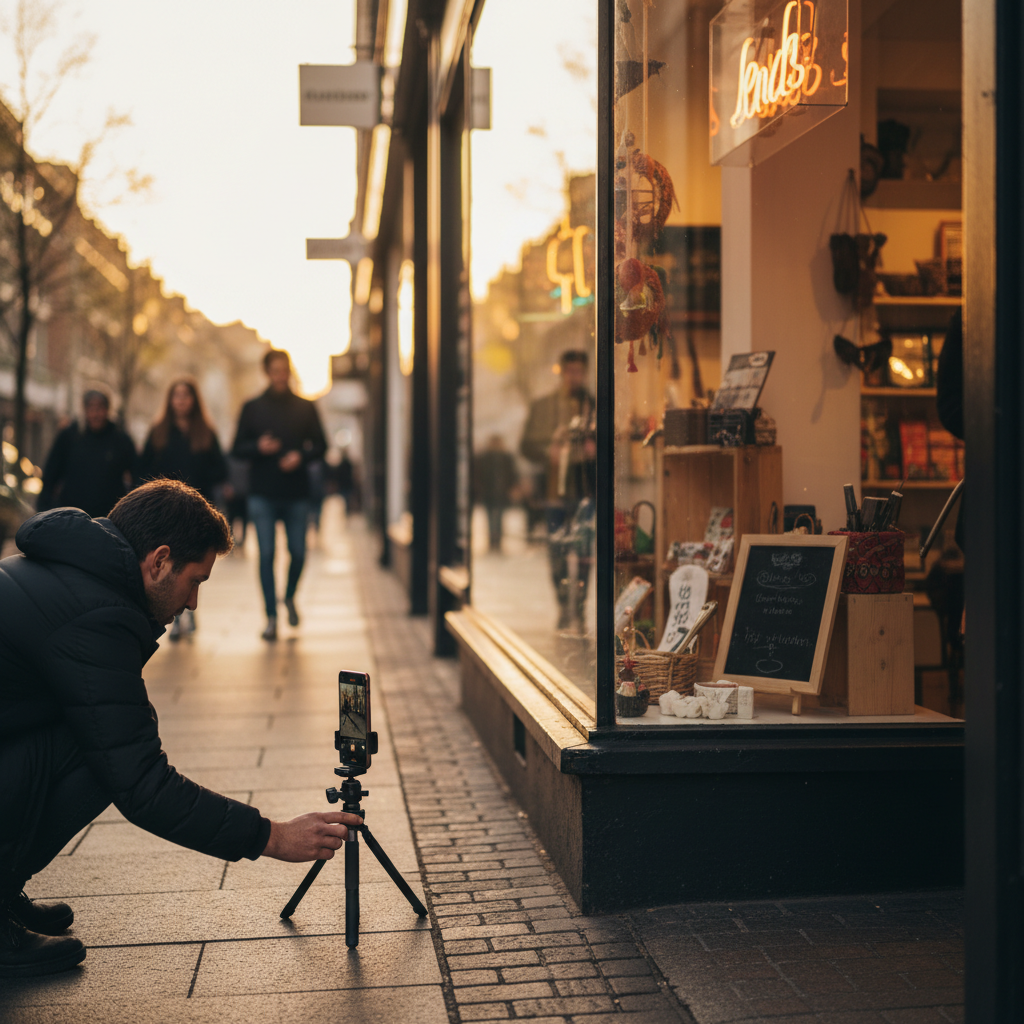
- Anchor to real places: Photograph recognizable areas in your service zone (main street, downtown district, parks) and pair with AI visuals that explain your process.
- Seasonal cadence: Publish AI + real‑photo sets around U.S. seasonal shifts (spring cleanup, summer peak, winterization) to match local demand.
- Google Business Profile: Repurpose one image per post to your GBP weekly; UpliftAI can keep that activity consistent while your team focuses on delivery.
IMPORTANT: Combine authentic photos and AI assets on each location or service page to reinforce trust and clarity.
Mid‑article CTA#
Want this handled automatically? UpliftAI researches topics, generates images, writes alt text, adds schema, and publishes to your CMS, while connecting each post into your clusters. See wins in our case studies or meet the Multi‑Agent SEO Brain.
Frequently asked questions#
AI‑generated images are effective when they’re relevant, fast, and accessible. Use them alongside authentic photos, describe them clearly in alt text, and place them where they answer the reader’s question. Automate the workflow so the cadence never dips.
How many AI images should I add per post?#
Aim for 2–4 purposeful visuals per 1,000–1,500 words. Choose the job (explain, compare, localize, persuade) and place each image directly under the heading it serves. Quality and relevance beat quantity every time.
Will AI images hurt E‑E‑A‑T?#
No, when you combine them with authentic photos and first‑hand details. Use real team/location shots and before/after proof next to AI diagrams and composites. The mix shows both real‑world experience and complete coverage.
What alt text works best for SEO and accessibility?#
Describe the scene and its purpose in the article. Example: “Step‑by‑step HVAC filter replacement diagram showing airflow direction.” Avoid stuffing keywords. Write for screen readers first; search engines benefit from the clarity.
Should I change file formats sitewide?#
Start with high‑traffic templates (blog post, service page, product page). Convert images to WebP/AVIF during publish and monitor Core Web Vitals. Roll out progressively to reduce risk and simplify QA.
How do I measure success?#
Track Core Web Vitals (especially LCP), Search Console image impressions, page CTR, and assisted conversions. If CTR lags, test new hero crops and alt text. If LCP is slow, compress harder or simplify hero composition.
Key takeaways and next steps#
Treat images as strategic content: map to intent, generate on purpose, compress hard, write useful alt text, and add schema. Pair AI visuals with authentic photos, measure weekly, and scale through automation so momentum compounds across your site.
- Key takeaways
- AI‑generated images for SEO content work when they answer intent and load fast.
- Alt text and schema boost machine understanding and assistive usability.
- Real photos + AI visuals together strengthen trust and engagement.
- Automation sustains cadence across clusters and locations.
- Next steps
- Pick three high‑value pages with thin visuals.
- Add 2–4 targeted images per page using the process table.
- Compress, add alt text and schema, publish, and measure for two weeks.
- Consider handing the loop to UpliftAI for hands‑free scale via our blog playbooks and platform workflows.
Related articles and resources#
Explore internal linking, topic clusters, and on‑page optimization to multiply the impact of visual enhancements. These pillars help your images and pages win more queries within a coherent strategy.
- Internal linking strategies that connect visual‑rich posts into hubs (see our autonomous engine).
- Topic cluster planning for coverage and topical depth (recent plays on our blog).
- Case evidence from SMBs who scaled SEO with automation (browse case studies).