On this page
- Google Business Profile optimization at a glance
- What does Google Business Profile optimization mean?
- How local visibility is influenced
- Build the profile foundation first
- Make services and products easy to understand
- A practical seven-day optimization plan
- Use authentic photos and short videos
- Create useful Google Business Profile Posts
- Turn reviews and Q&A into trust signals
- Connect your profile to local SEO
- Use automation without losing authenticity
- A four-week maintenance calendar
- Measure actions, not vanity activity
- Common mistakes to avoid
- Manual management versus supported automation
- Examples by business type
- Practical resources and next steps
- Frequently asked questions
- Start with accuracy, then build consistency
- Keep your local SEO workflow consistent
Last updated: September 2026
Key takeaway:Google Business Profile optimization works best when your information is complete, your category and services are accurate, and your profile stays active with authentic photos, useful Posts, helpful Q&A, and honest review replies. These actions improve how clearly customers and Google understand your business, while consistent website and directory information supports local SEO.
A Google Business Profile is often the first contact a nearby customer has with your business. Before visiting your website, they may compare your hours, services, photos, reviews, location, and available actions in Search or Maps.
This refreshed guide explains what to fix first, how to maintain a practical weekly rhythm, what to measure, and where AI-powered SEO automation can reduce repetitive work without replacing human oversight.
Google Business Profile optimization at a glance#
- Use your real-world business name and keep core details accurate.
- Choose the most precise primary category and add only relevant secondary categories.
- Describe services clearly and keep hours, service areas, booking options, and attributes current.
- Publish useful updates, add authentic visual evidence, and answer common customer questions.
- Request honest reviews after completed work and reply thoughtfully to every review.
- Align your profile with your website and reputable business directories.
- Track profile actions and update your approach based on observed customer behavior.
What does Google Business Profile optimization mean?#
Google Business Profile optimization is the process of completing, correcting, and maintaining your business listing so it accurately represents what you offer, where you serve customers, and how people can contact you. It is not a one-time setup task; the profile should evolve as services, hours, seasons, and customer questions change.
Google says complete and accurate information helps businesses appear in relevant local results. The practical goal is to make your business easier to understand and easier to choose, rather than to add keywords wherever possible.
How local visibility is influenced#
Local results are commonly understood through three connected factors: relevance, distance, and prominence. Relevance reflects how well your category, services, and profile information match a search. Distance reflects proximity to the searcher or the location named in the query. Prominence reflects the broader signals that help establish whether a business is recognized and trusted.
You cannot control a searcher's location or guarantee a ranking position. You can control whether your information is accurate, whether your services are clearly described, whether customers can find useful evidence, and whether your profile remains dependable over time.
Build the profile foundation first#
Use the real business name#
Enter the name customers see in the real world, on signage, and in official business materials. Do not add locations, services, or promotional claims to the name simply to influence rankings; name stuffing can reduce trust and create policy problems.
Choose precise categories#
Select the primary category that best describes the core business, then add secondary categories only when they represent genuine offerings. A landscaper, restaurant, commercial cleaning service, or event venue should choose categories that match how customers describe the business, not every service it has ever provided.
Complete operational details#
- Keep regular and special hours current.
- Use a precise storefront address when customers visit a location.
- Define service areas accurately for mobile businesses and avoid claiming places you do not serve.
- Add a working phone number, website, booking option, and messaging channel where appropriate.
- Use only truthful attributes, accessibility details, amenities, ownership information, and payment options.
These details answer the questions that determine whether someone calls, visits, books, or moves on to another result.
Make services and products easy to understand#
Use service entries to explain each important offering in plain language. Include what the service is, who it is for, and any useful expectations about scope or timing without making unsupported promises.
Retail businesses and businesses with packaged offerings can use product entries to show clear names, representative photos, brief descriptions, and availability information. Keep the language consistent with the corresponding pages on your website so customers do not encounter conflicting descriptions.
A practical seven-day optimization plan#
Use this sprint to correct the highest-impact profile details before building a long-term content rhythm.
- Day 1: Audit core information. Check the name, address, phone number, website, hours, service area, and booking path.
- Day 2: Review categories and attributes. Confirm that the primary category is the closest fit and remove irrelevant selections.
- Day 3: Improve services and products. Add the offerings customers actually search for and describe them clearly.
- Day 4: Add real visual evidence. Upload exterior, interior, team, process, product, or completed-work photos that accurately represent the business.
- Day 5: Publish useful updates. Share an announcement, seasonal service, customer question, event, or practical tip with a clear next action.
- Day 6: Review Q&A and customer feedback. Answer recurring questions and reply to recent reviews with specific, human responses.
- Day 7: Check alignment. Compare the profile with your website and important directories, then record a baseline for calls, website visits, messages, bookings, and directions.
After the sprint, maintain the profile with a realistic schedule. Consistency is more sustainable than publishing a large burst of updates and then becoming inactive.
Use authentic photos and short videos#
Customers want visual evidence of the experience they will receive. Prioritize clear, current images of your location, team, process, finished work, products, signage, and customer-facing areas instead of relying only on stock photography.
- Show the entrance and surroundings so visitors can recognize the location.
- Show people performing real work when permission and privacy allow it.
- Use before-and-after images when the change is genuine and easy to understand.
- Refresh seasonal visuals when services, menus, displays, or weather conditions change.
- Use short process or walkthrough videos when they add information rather than decoration.

Do not depend on file-name tricks or hidden metadata. Relevance, clarity, authenticity, and regular maintenance are more useful than attempting to manipulate image signals.
Create useful Google Business Profile Posts#
Posts give customers timely context, but they should not become a stream of generic advertisements. Rotate genuinely useful formats such as seasonal services, event notices, new offerings, practical answers, behind-the-scenes updates, and customer-focused tips.
A simple Post structure#
- Benefit: Start with the problem solved or experience offered.
- Details: Explain what is available, when it applies, and any relevant conditions.
- Action: Invite the reader to call, book, visit, request directions, or view the website.
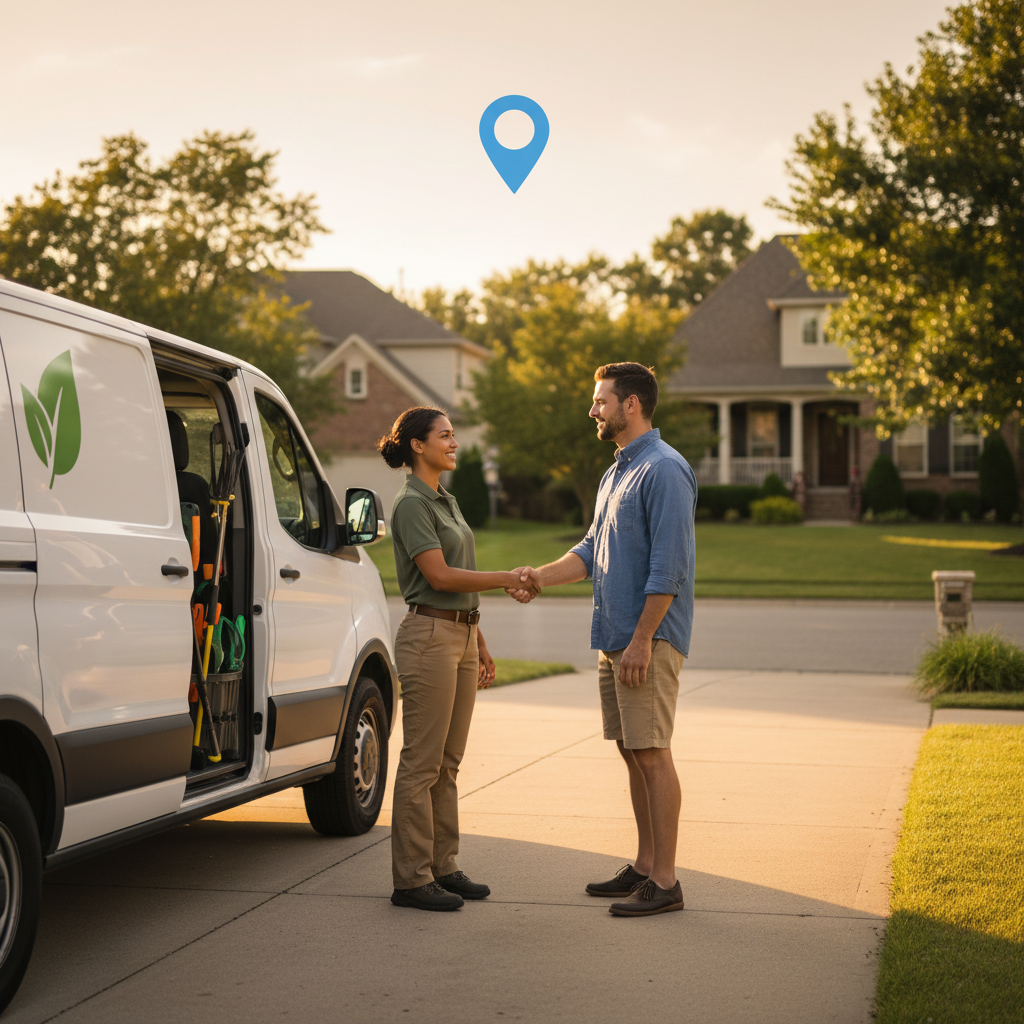
For example, a landscaper could explain that spring cleanup includes bed clearing and edging, identify the general service area, and invite customers to request an appointment. Localize naturally when a neighborhood or service area is genuinely relevant; do not repeat place names mechanically.
Turn reviews and Q&A into trust signals#
Ask for honest feedback after a completed service or visit, when the experience is fresh. A neutral request can invite customers to describe what they purchased or received, but businesses should not script praise, offer incentives, or pressure customers to leave only positive feedback.
- Reply to positive reviews with a specific thank-you rather than a repeated template.
- Acknowledge negative experiences calmly and move sensitive details to a private channel.
- Use Q&A to address recurring pre-sale concerns such as parking, scheduling, inclusions, access, or turnaround times.
- Update answers when policies, hours, prices, or availability change.
Reviews and Q&A help customers decide whether the business fits their needs. They should support the real customer experience, not substitute for it.
Connect your profile to local SEO#
Your profile should agree with the important pages on your website. Match service names, contact information, locations served, hours, and business descriptions where those details are relevant. A clear service page can provide the depth that a short profile entry cannot.
Also review reputable directory listings for outdated names, addresses, phone numbers, or hours. Focus on accuracy and relevance rather than creating a large number of low-quality citations. Useful local references and a well-structured website can reinforce the prominence and trust of your profile.
For businesses using a broader content strategy, UpliftAI’s Multi-Agent SEO Brain can help coordinate research, content drafting, optimization, and publishing workflows alongside local profile activity.
Use automation without losing authenticity#
AI-powered SEO can reduce repetitive planning and drafting, but it should not invent services, locations, customer experiences, or business claims. Keep approval with the business owner for sensitive details, review responses, offers, and anything that affects customer expectations.
Tasks that can be systematized#
- Maintaining a recurring content calendar.
- Drafting Post ideas from approved services and seasonal priorities.
- Repurposing approved website or social assets into suitable visual formats.
- Identifying unanswered customer questions.
- Checking consistency between profile and website information.
- Preparing review-response drafts for human approval.
Automation is most useful when it protects a realistic cadence while people supply the facts, photographs, judgment, and final approval.
A four-week maintenance calendar#
| Week | Profile activity | Supporting check |
|---|---|---|
| Week 1 | Publish a seasonal service or offer and add current photos. | Confirm hours, booking path, and service descriptions. |
| Week 2 | Answer a frequent customer question. | Review Q&A and update outdated answers. |
| Week 3 | Share an event, process, new offering, or completed-work example. | Check that the related website page matches the profile. |
| Week 4 | Share a customer-focused tip and request feedback from recent customers. | Review profile actions and identify the next improvement. |
Measure actions, not vanity activity#
Review performance monthly and compare trends rather than treating one week as proof of success. Useful measures include discovery and direct searches, calls, messages, bookings, website visits, direction requests, photo views, and review volume.
Use tagged website links where appropriate so analytics can connect profile traffic with website behavior. If actions increase but qualified leads do not, inspect the landing page, offer, service fit, response speed, and booking experience rather than publishing more Posts automatically.
Common mistakes to avoid#
- Keyword-stuffing the business name: Use the genuine real-world name.
- Ignoring special hours: Update holiday and temporary schedules before customers arrive.
- Using only stock imagery: Show the actual place, people, products, and work.
- Publishing without a purpose: Each update should help a customer decide or act.
- Incentivizing or fabricating reviews: Request honest feedback and respond professionally.
- Overpromising results: Local rankings depend on context, competition, distance, and many signals.
- Automating unverified facts: Approve details before they reach customers.
Manual management versus supported automation#
| Activity | Manual approach | Supported workflow |
|---|---|---|
| Content planning | Choose topics whenever time is available. | Maintain an approved recurring calendar. |
| Posts | Draft and publish each update individually. | Generate drafts from verified services and priorities, then review them. |
| Visual refreshes | Remember to capture and upload assets. | Reuse approved assets on a planned cadence. |
| Review replies | Write each response from scratch. | Prepare brand-appropriate drafts for approval. |
| Website alignment | Check pages periodically. | Include profile and site consistency in the recurring workflow. |
Examples by business type#
Restaurants and cafés#
Prioritize current menus, popular dishes, atmosphere, accessibility details, hours, and clear answers about ordering or reservations. Show real food and the customer experience rather than generic promotional graphics.
Commercial cleaning companies#
Explain building types, service scope, scheduling windows, access requirements, and relevant questions about the work. Before-and-after images should show genuine projects without exposing private client information.
Landscapers and mobile service businesses#
Organize content around real seasons and service areas. General route or neighborhood references can provide context, but do not publish private customer addresses or imply coverage beyond your operational area.
Venues and real estate businesses#
Use photos and Q&A to clarify capacity, layouts, amenities, parking, showing policies, and availability. Keep claims and market information current, sourced, and understandable.
Practical resources and next steps#
Start with Google’s guidance on improving local ranking, then turn the recommendations into an internal checklist. Businesses that want to coordinate content, website updates, internal linking, and local activity can also review UpliftAI customer results for examples of the platform’s broader SEO workflow.
Frequently asked questions#
How often should I update a Google Business Profile?#
Review core information whenever it changes and use a sustainable activity rhythm for Posts, photos, Q&A, and review replies. A weekly check is a practical baseline, but usefulness and accuracy matter more than publishing for its own sake.
What photos should a local business add?#
Add authentic images that show the location, team, products, services, process, and finished work. Choose visuals that help a customer recognize the business or understand what will happen after they contact you.
Do reviews guarantee higher local rankings?#
No. Reviews are one part of a broader local search picture, and rankings also depend on relevance, distance, prominence, competition, and other signals. Honest, recent, detailed feedback can build trust and support decisions, but no profile tactic guarantees a position.
Can AI help manage Google Business Profile activity?#
AI can help plan content, draft updates, identify questions, and maintain a schedule. A person should verify facts, protect customer privacy, approve sensitive responses, and ensure the published content reflects the actual business.
Start with accuracy, then build consistency#
The strongest Google Business Profile optimization tips are practical: use accurate information, select relevant categories, explain services clearly, publish authentic updates, answer questions, request honest reviews, and keep your website aligned. Improve the foundation first, measure customer actions, and automate only the repeatable work that can be safely reviewed.
Keep your local SEO workflow consistent#
When profile activity, website content, and internal SEO work need to move together, see how UpliftAI supports ongoing SEO execution while your team stays focused on serving customers.