

On this page
- What is confirmed about the Google December 2026 core update?
- What should you do before the rollout starts?
- What should you monitor in Google Search Console?
- Should you change your website during the core update?
- How can you tell an update effect from another traffic problem?
- When should you evaluate the Google December 2026 core update?
- What is a practical post-update checklist?
- How can UpliftAI support a documented SEO review?
- Frequently Asked Questions
- What should you do about the Google December 2026 core update?
The Google December 2026 core update has been announced, but its exact December start date and rollout duration have not been confirmed. Google announced the update on November 24, 2026, and said it will apply across supported locations and languages. The stated focus is improving relevance for longer, more complex search questions and personalization. Source: Google Annex 3.pdf.
For business owners, the best response is preparation, not panic. Record a clean baseline, monitor Google Search Console, check for technical or tracking problems, and avoid major SEO changes until Google confirms that the rollout is complete. Source: Timeline of Google Search.
What is confirmed about the Google December 2026 core update?#
The Google December 2026 core update is a planned broad change to Google Search systems. Google announced it on November 24, 2026, but did not confirm the start date or how long the rollout will take. It is expected to apply across supported locations and languages, with attention to relevance for longer, more complex questions and personalized search experiences.
That distinction matters. The announcement confirms the update’s broad direction, but it does not provide a list of winning websites, affected industries, ranking factors, or guaranteed outcomes.
- Confirmed: Google announced the update on November 24, 2026.
- Confirmed: The rollout is planned for December 2026.
- Not confirmed: The exact start date.
- Not confirmed: The rollout duration.
- Confirmed: It applies across supported locations and languages.
- Confirmed: Google described a focus on relevance for longer, more complex questions and personalization.
Use the November 2026 update review only for background. The December announcement should be tracked as a separate event, especially because the November rollout ended on the same day the December update was announced.
What should you do before the rollout starts?#
Before the rollout starts, create a documented baseline for organic performance and list any website changes already in progress. This gives your team a reference point when rankings, impressions, clicks, or leads change. Do not treat a pre-rollout baseline as proof of what the update will affect.
- Export recent Search Console performance data for clicks, impressions, click-through rate, and average position.
- Save the most important queries and pages for your business.
- Record recent migrations, template changes, content updates, tracking changes, outages, and campaign activity.
- Annotate the Google Search Status Dashboard when Google confirms the rollout start.
- Note seasonal demand patterns, holidays, promotions, and changes in your customers’ search behavior.
Segment your baseline by page type, query group, country, device, and search type where the data supports it. For this update, create a separate group for longer questions and conversational queries. This may reveal movement that is hidden by an all-site average.
A broader Google SEO guide can help with foundational checks, but preparation for an update should remain focused on measurement and diagnosis, not a sudden sitewide rewrite.
What should you monitor in Google Search Console?#
Google Search Console should be your main source for measuring changes in Google organic search. Monitor clicks, impressions, click-through rate, and average position by page and query group, then compare equivalent time periods. Look for patterns across many related pages instead of reacting to one keyword or one day of data.
Which Search Console signals matter most?#
Clicks show visits from Google Search, impressions show how often your pages appeared, click-through rate shows the share of impressions that became clicks, and average position summarizes ranking positions. These signals answer different questions, so a traffic decline cannot be explained by average position alone.
| Signal | What to check | What it may suggest |
|---|---|---|
| Impressions | Did visibility fall for many related queries? | Lower demand, ranking changes, indexing problems, or changed search presentation. |
| Clicks | Did visits fall while impressions stayed similar? | Lower click-through rate, stronger search features, or a change in searcher intent. |
| Click-through rate | Did CTR change for stable pages and positions? | Changed titles, competitors, personalization, or expanded result features. |
| Average position | Did groups of pages move together? | Possible ranking changes, though averages can hide query-level differences. |
| Queries | Did longer questions or topic groups change? | A possible relevance shift for complex or conversational searches. |
Review web search separately from other Search Console search types. Also compare branded and non-branded queries, desktop and mobile, and key countries when those segments are large enough to be useful. A Search rank explanation can help your team interpret average position without treating it as a precise promise of what every user sees.
How should you monitor longer and more complex queries?#
Group longer questions by topic and intent instead of checking only individual keywords. Compare question-led pages, service pages, product pages, and supporting content before and after the rollout. Look for repeated changes in impressions, clicks, CTR, and average position across a group, not isolated movement in one query.
Personalization also makes manual checking less reliable. Two people may see different results because of location, device, search history, language, or other context. Use aggregated Search Console trends for measurement, and treat a manual search as an observation, not proof of an update effect.
Should you change your website during the core update?#
You should avoid rushed, sitewide SEO changes during the rollout. Short-term movement is difficult to interpret while Google is still processing the update, and changing titles, content, templates, internal links, or page URLs at the same time can make the evidence harder to understand.
This does not mean you must leave real problems unfixed. Correct verifiable issues such as broken pages, accidental noindex directives, inaccessible forms, incorrect canonical tags, crawl failures, or a migration error. Document each fix and its date.
Delay speculative changes based only on a temporary ranking drop. In particular, avoid deleting pages, rewriting every title, replacing a sitewide template, or changing internal links across the whole website simply because a few days of data look weak.
For broader improvement work, use a controlled plan based on page purpose, search intent, originality, accuracy, and usefulness. The Google ranking improvement guide is more useful after you have identified a genuine content or technical issue.
How can you tell an update effect from another traffic problem?#
A Google core update is only one possible explanation for a change in organic performance. Compare the timing, affected pages, affected queries, technical records, and demand patterns before attributing a decline to the update. A broad movement that begins near the confirmed rollout and affects related query groups may support the hypothesis, but it is not conclusive on its own.
Check these alternative explanations first#
- Seasonality: Compare the same period in the previous year and review known holiday or industry demand patterns.
- Changing search demand: Check whether impressions changed across your market, not just for your website.
- Tracking changes: Review analytics tags, consent settings, conversions, filters, referral exclusions, and Search Console property settings.
- Technical issues: Check server availability, crawl errors, robots directives, noindex tags, canonical tags, redirects, and page speed problems.
- Migration or redesign: Match the timing of traffic changes against URL changes, domain changes, platform moves, and template releases.
- Normal volatility: Short-lived daily changes may not represent a sustained update effect.
- Search presentation: Changes in answer formats, images, comparisons, or other search features can affect clicks even when rankings remain similar.
Compare page groups instead of relying on total site traffic. If only one template, directory, device type, or country changed, investigate that pattern before assuming a sitewide algorithmic cause.
When should you evaluate the Google December 2026 core update?#
Begin a meaningful evaluation after Google confirms that the rollout is complete, then allow seven days before drawing strong conclusions. Compare the first complete post-update week with an equivalent period before the rollout began, and continue monitoring for sustained patterns instead of making decisions from a single day.
Use the Google Search Status Dashboard for confirmed rollout status. Then review:
- Sitewide clicks, impressions, CTR, and average position.
- Pages that gained or lost visibility.
- Query groups, especially longer and more complex questions.
- Branded versus non-branded searches.
- Country, device, and search-type segments.
- Leads, calls, purchases, or other business outcomes.
If a decline is sustained and concentrated in a clear topic or page group, inspect those pages against the needs of searchers. Ask whether the content answers the question directly, demonstrates real expertise, includes current and accurate information, and offers a better experience than competing results. Do not assume that adding words or repeating keywords will solve a relevance problem.
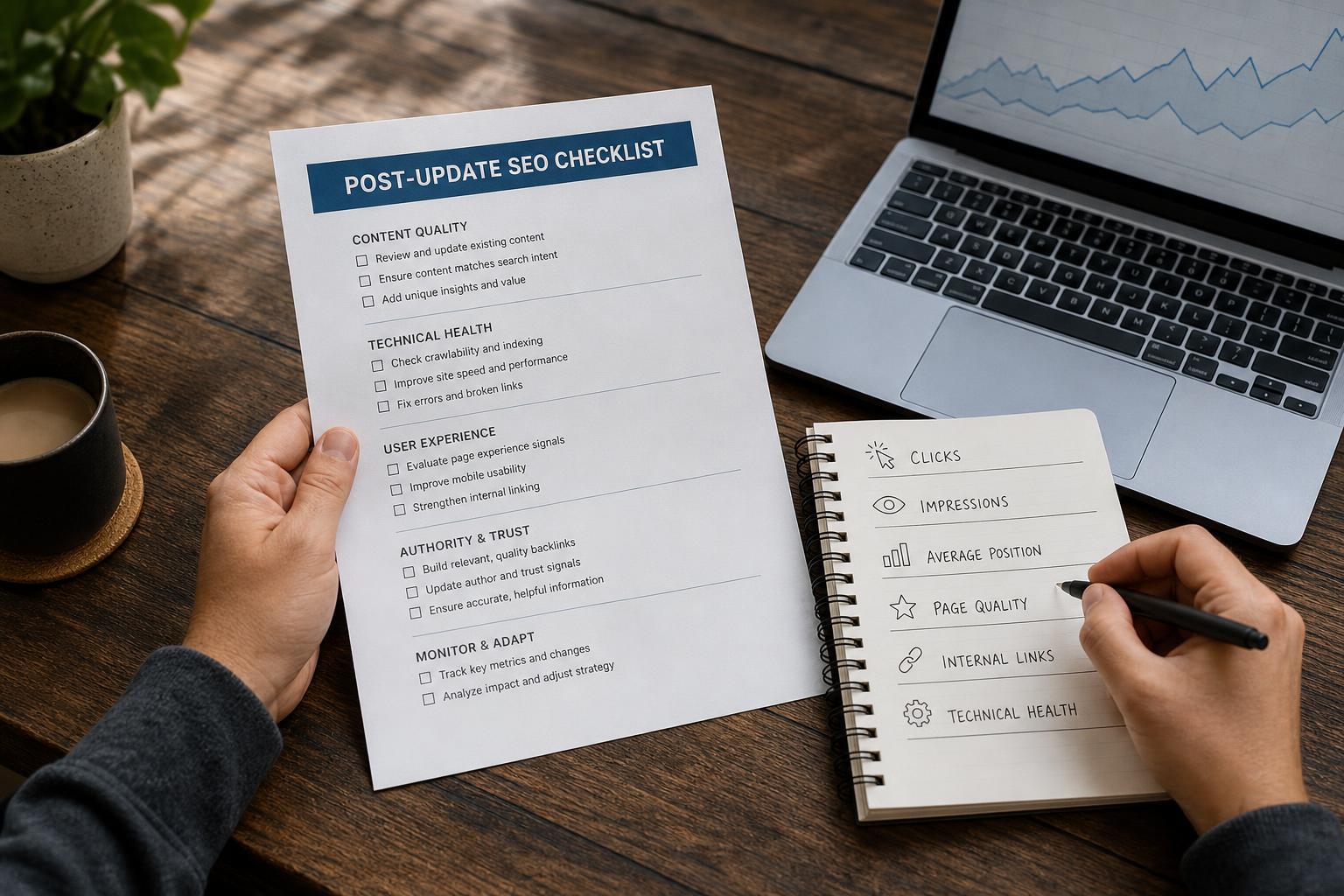
What is a practical post-update checklist?#
A post-update review should connect Search Console data with technical checks, content quality, and business outcomes. Complete the review only after the rollout status is confirmed and the data has had time to settle.
- Confirm the completion date in the Google Search Status Dashboard.
- Allow seven days after completion before making broad conclusions.
- Compare equivalent pre-rollout and post-rollout periods.
- Separate pages, query groups, countries, devices, and search types.
- Check seasonality, demand, tracking, migrations, indexing, and outages.
- Identify sustained patterns instead of isolated ranking movements.
- Review affected pages for relevance, accuracy, originality, and usefulness.
- Fix verified technical problems first.
- Make targeted content changes and record exactly what changed.
- Recheck performance over time instead of expecting an immediate response.
Keep a simple change log with the date, page, reason, change, and later result. This prevents your team from repeating the same diagnosis every time rankings fluctuate.
How can UpliftAI support a documented SEO review?#
UpliftAI is an AI-powered SEO execution platform that can support a documented workflow for research, content planning, optimization, internal linking, publishing, and Search Console-informed review. It should be used to organize and execute evidence-based work, not to promise recovery or assume that every ranking change came from the update.
A small marketing team can use a controlled workflow to group affected pages, record proposed changes, review content quality, and keep a history of updates.
Frequently Asked Questions#
When will the Google December 2026 core update start?#
Google had announced the update for December 2026 but had not confirmed the exact start date when it was announced on November 24. Check the Google Search Status Dashboard for the official start notice instead of relying on third-party predictions or early ranking chatter.
How long will the December 2026 Google core update take?#
The rollout duration was not confirmed in the announcement. Avoid assuming that movement on the first day represents the final outcome. Wait for Google to confirm completion, then allow seven days before conducting a meaningful comparison.
Can a Google core update be a penalty?#
A core update is not automatically a manual penalty. Core updates broadly change how Google evaluates relevance and usefulness, so some pages may move down as other pages become more relevant. Check Search Console for manual actions separately from ordinary ranking changes.
Why did my Google traffic drop even though rankings did not?#
Traffic can fall without a clear average-position decline because search demand, click-through rate, personalization, or search-result features changed. Compare impressions and CTR by query and page, then check whether the change is concentrated in searches that now show more direct answers or other result features.
How can I tell whether a traffic drop is caused by seasonality?#
Compare the affected period with the same period in the previous year and review your own sales, leads, promotions, and industry demand. A seasonal decline often affects search demand more broadly, while an update-related pattern may affect particular topics or page groups. Neither pattern proves causation by itself.
Should I delete pages that lost rankings after a core update?#
Do not delete pages solely because they lost rankings during or immediately after the rollout. First check whether the page serves a useful purpose, whether it has technical problems, and whether its content matches the searcher’s intent. Consider consolidation or removal only after a deliberate content review.
Do personalized Google results make SEO reporting less reliable?#
Personalization makes individual manual searches less reliable as evidence, but aggregated reporting remains useful. Use Search Console to evaluate trends across many impressions and clicks, and segment the data by query, page, country, device, and search type when the sample is meaningful.
What should you do about the Google December 2026 core update?#
The Google December 2026 core update has been announced, but its exact start date and duration were not confirmed. Establish a baseline, monitor Search Console by page and query group, fix verified technical problems, and avoid speculative sitewide changes during the rollout. After Google confirms completion, allow seven days and compare equivalent periods before making targeted improvements.
Document your baseline and change history now. If you want help turning that record into a controlled review, UpliftAI’s AI-powered SEO workflow can support organized research, optimization, publishing, and Search Console-informed decisions without promising a particular ranking outcome.